
Phishing your people will actually recognise
Realistic, sector-specific simulations that mirror the attacks targeting your industry — paired with a one-click Report button in every inbox.
The inbox is still the front door
of breaches involve a human element
Verizon 2024 DBIR
median time to fall for a phishing email
Verizon 2024 DBIR
reported losses to business email compromise (2023)
FBI IC3
between cybercrime reports in Australia (2022–23)
ASD ACSC
Industry-targeted phishing, not recycled spam
Today’s phishing is personalised and indistinguishable from legitimate mail. A lure only works as training if it looks like something your team would actually receive — so Chinron builds templates from the services, portals and payment flows that circulate in your region, not generic ones recycled from somewhere else.
- AI-designed full HTML emails — not basic templates. Each simulation is a rich, styled email built to look like a real attack, with 25 style variations so your team never sees the same format twice
- Real brand colours pulled automatically via Brandfetch — a Microsoft sim uses Microsoft's actual palette, a bank sim uses the bank's colours. Indistinguishable from the real thing
- One-click Microsoft 365 allowlisting — Chinron configures your Advanced Delivery Policy automatically from inside the platform. No manual Exchange Online setup, no IT ticket required
- Regional lure libraries — templates built from the services, portals and payment systems that actually circulate in your region
- Sector-built templates: financial-fraud lures for accounting, patient-portal spoofs for healthcare, and more across 28 industries
- Recurring campaigns on a cadence — not a one-off test your team forgets
- Real-time open and click tracking, with education landing pages the moment a user clicks
- Shared and personal mailboxes are excluded automatically from live sends
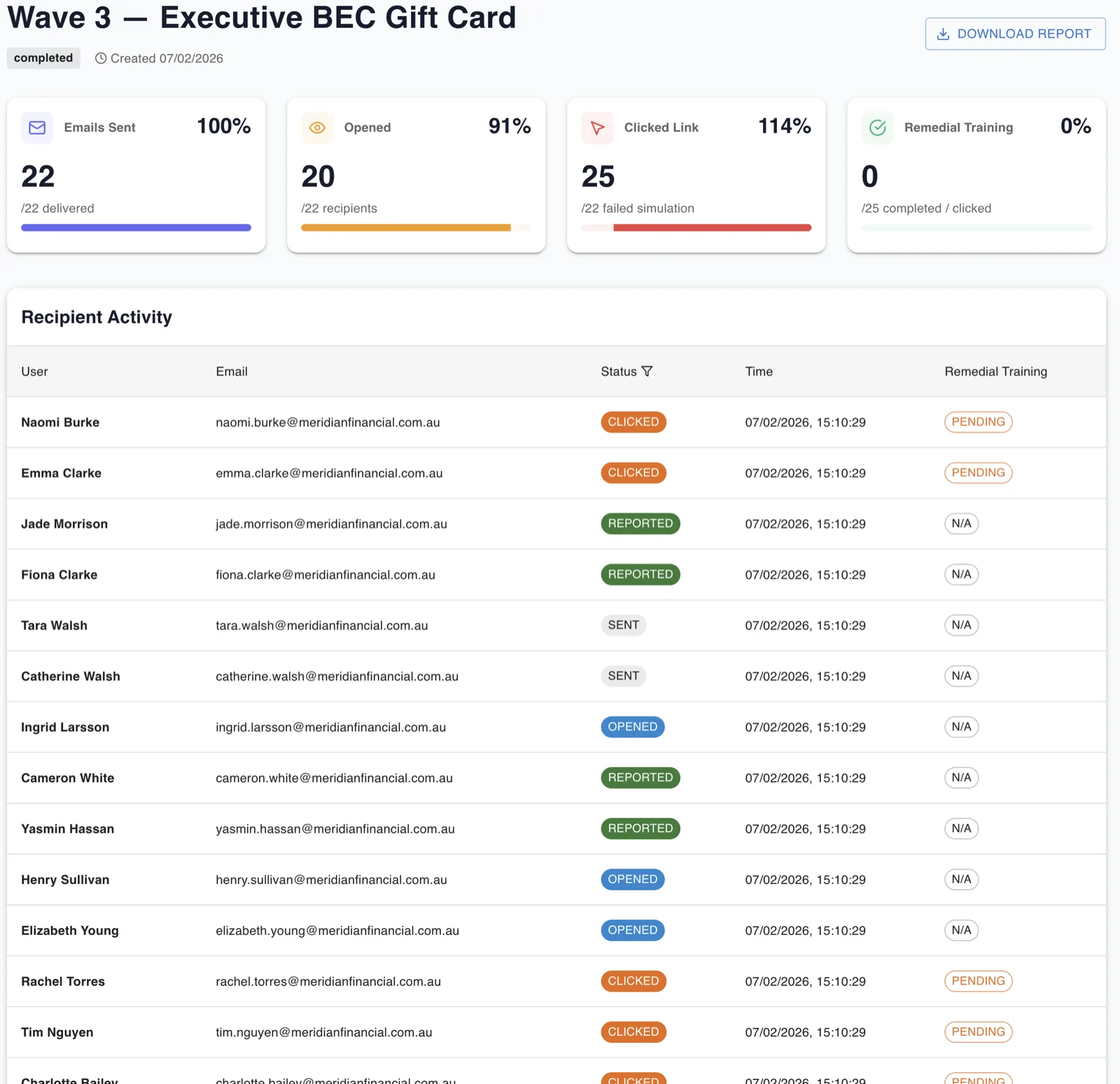
The lure only works if it looks like something your team would actually receive
A phishing simulation built around a delivery notification from a carrier your employees have never used doesn’t train anyone. A fake payment portal for a bank your finance team doesn’t use won’t trigger the right instincts.
Chinron maintains separate regional lure libraries — built around the services, government portals, financial systems and delivery networks that actually circulate in each region’s threat landscape. When a campaign goes out to your team, it uses lures drawn from their world. The simulation only builds the right muscle if it looks real.
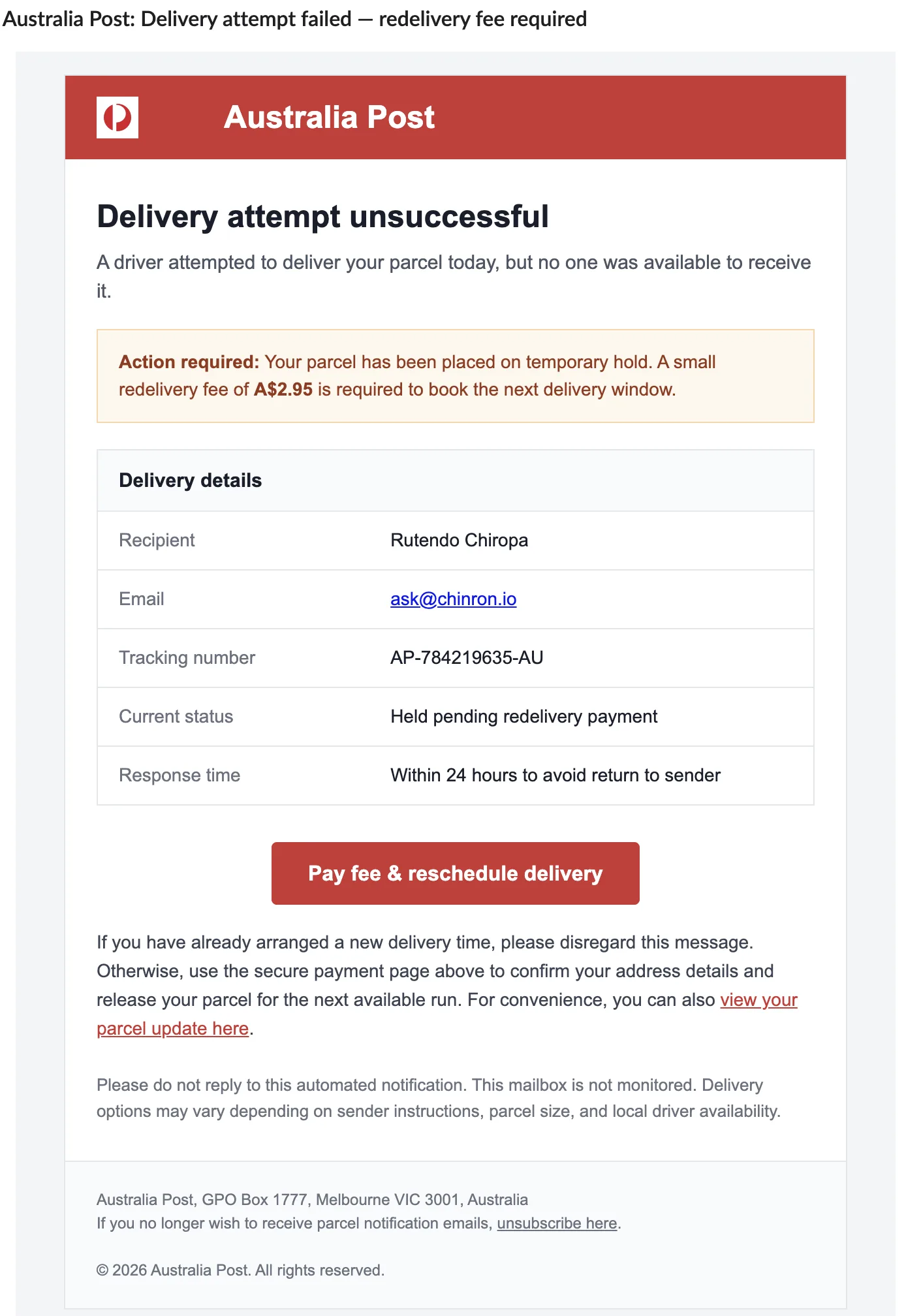
Built for your industry and region, down to the lure
A couple of examples of how a simulation adapts to the sector and region it’s sent to — because a lure only works as training if it feels familiar.
Please note our banking details have changed. Use the new account for invoice #4471 before close of business…
To maintain access to patient records, please re-verify your credentials within 24 hours…
A one-click Report button in every inbox
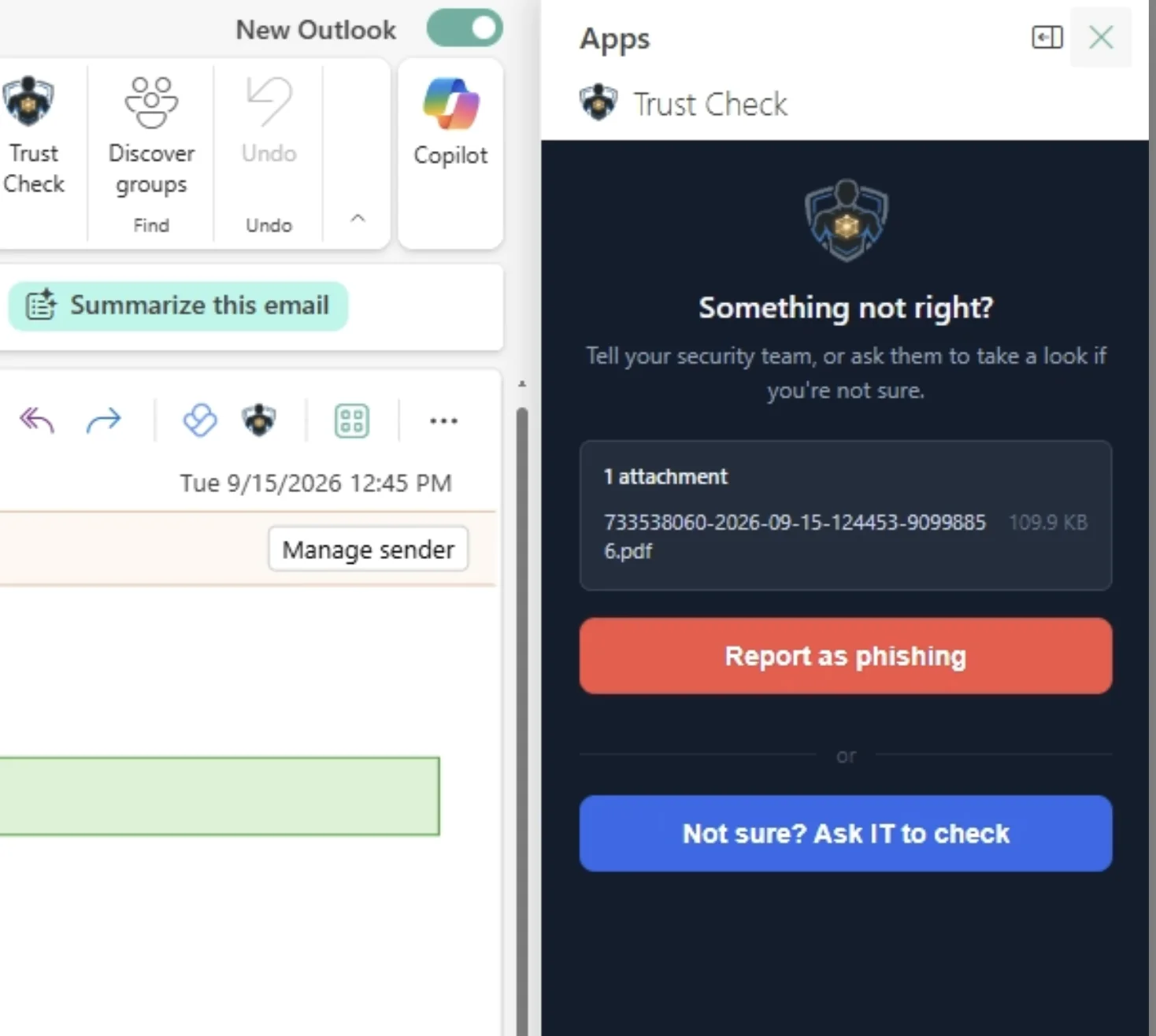
Reporting suspicious email should be effortless. Chinron puts a native Report Phishing button right where your team already works — so threats get flagged, not forwarded around the office.
Microsoft Outlook
Outlook add-in for Microsoft 365 — desktop, web and mobile.
Google Gmail
Gmail add-on for Google Workspace, available across the inbox.
Zoho Mail
Zoho Mail widget for organisations on Zoho.
One click reports a suspicious email — no copy-pasting headers, no confusion about who to tell. The full message is captured for your security team, and the button reinforces the reporting habit your awareness program is building. Admins deploy it once, across the whole organisation.
Not every dodgy-looking email is phishing — and treating it like it is trains the wrong habit
A badly formatted newsletter, an unfamiliar-but-legitimate sender, a link that just looks a bit off. Forced to choose between “report it as an attack” and “do nothing,” most people do neither — they just delete it and stay quiet. That's a missed signal, not a safe outcome.
That’s why the Report button has a second option next to it: “Not sure? Ask IT to check.” The two are handled differently on purpose — a Report is a confident call and moves the message to Junk immediately, while a Trust Check stays neutral and leaves it right where it was, because the person hasn’t claimed it’s an attack, only that they’d like a second opinion.
Start training your people on their real risk
Spin up a free trial in your region in minutes — or book a walkthrough tailored to your industry.