
Ask instead of guess
Most phishing programs only measure who clicked. Trust Check measures the opposite — real emails your people stopped and checked before acting, answered by your team or ours.
We didn’t design this feature. We noticed it.
On one client’s account, staff started doing something nobody had trained them to do: instead of guessing whether an odd email was real, they began forwarding it to IT and asking. Not every time — but enough that it was clearly becoming a habit, not a one-off.
That’s the behaviour every awareness program is actually trying to build, and almost none of them can see it happening. Trust Check exists to give that instinct a proper home — a button right in the inbox — and to measure it once it shows up, instead of only measuring the failures.
Right where the moment happens — their inbox
A phishing simulation only ever tells you who failed. Trust Check captures the other case — someone who paused, wasn’t sure, and checked before doing anything — on a real email, not a test.
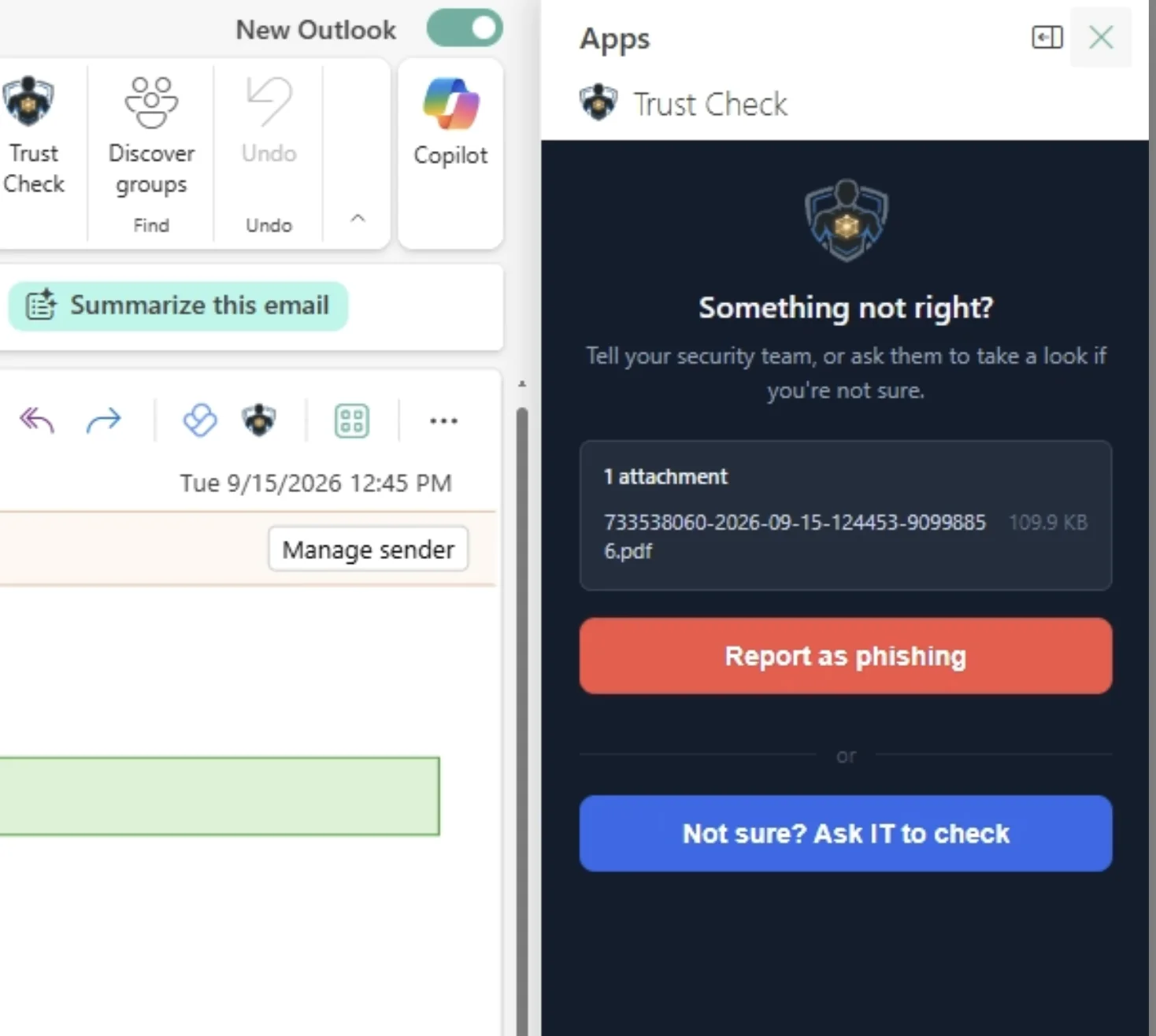
- The same widget as the Report Phishing button — no separate install, works in Outlook, Gmail and Zoho Mail
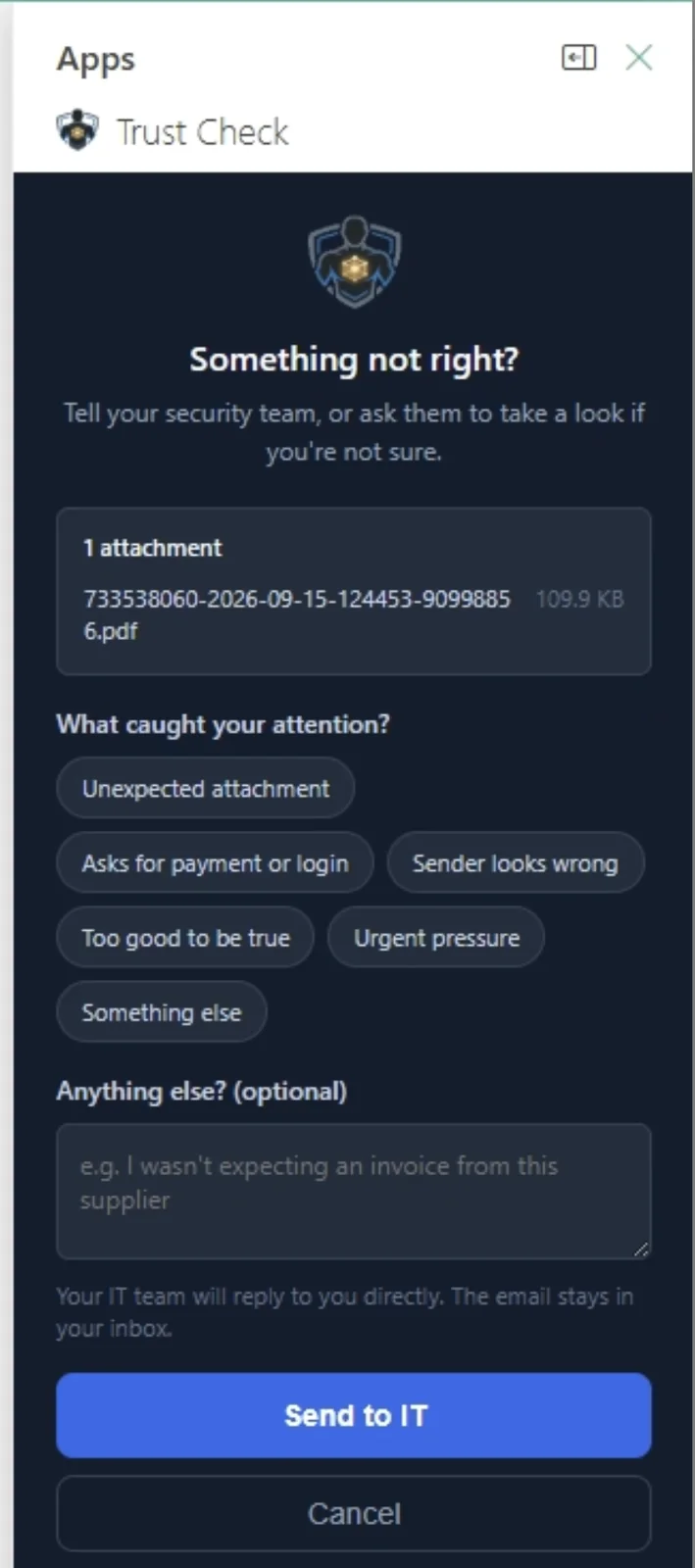
- One extra option sits next to "Report as phishing": "Not sure? Ask IT to check"
- They can flag what actually caught their attention — an unexpected attachment, urgent pressure, a sender that looks wrong
- The email stays in their inbox. Nothing is moved or deleted without them knowing
A record of people checking, not just people clicking
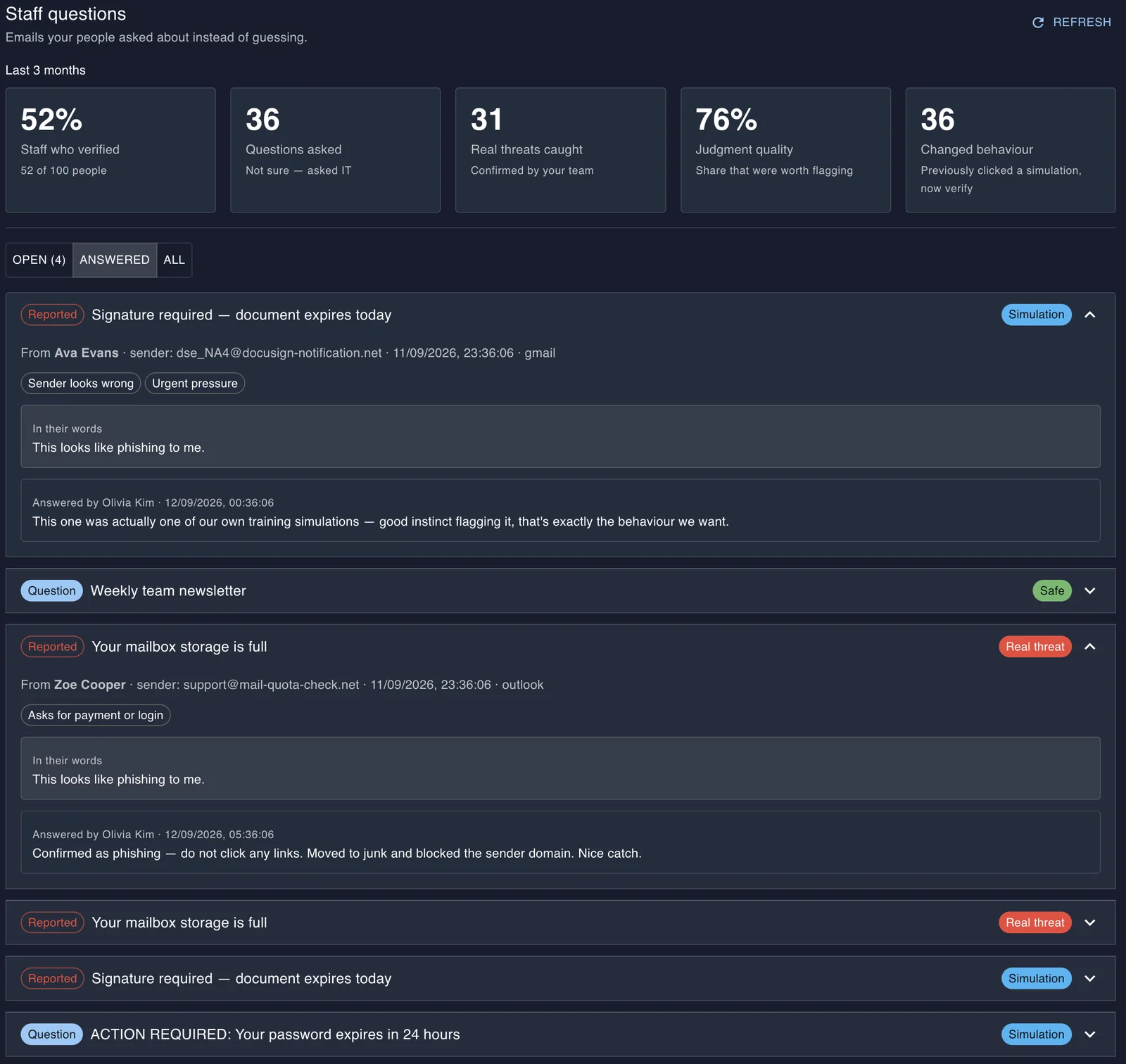
Every question your team answers becomes part of the record — its own tab on the Trust Check dashboard, tracking who verified, what they caught, and whether people who’ve slipped before are starting to check first.
- Every question, who asked it, and how your team answered it — real threat, safe, or simulation
- For organisations without in-house IT, the question routes straight to their MSP
- The answer reaches the employee by email and inside Chinron, so nothing sits unresolved
- Built to surface the exact thing that matters: someone who clicked a simulation before, now verifying instead
Click-rate tells you who failed. This tells you who’s paying attention.
Every phishing program reports the same number: how many people clicked. It’s a real signal, but it’s only ever a failure signal — it can’t show you the person who did the right thing.
Trust Check is the positive version of that evidence. Not "they didn’t fail this test," but "here’s a real email they stopped and checked, unprompted." For an MSP with clients who have no in-house IT, that verification routes straight to you — one more reason the client leans on you, not around you.
Built to prove the trend, not just the moment
Staff who verified
How many people used it at all, out of everyone who could have.
Questions asked
The real emails people weren’t sure about, instead of guessing.
Real threats caught
Confirmed by your team — not assumed, not simulated.
Judgment quality
How many of the flagged emails were actually worth flagging.
Changed behaviour
Someone who clicked a simulation before, now checking instead.
Live today for organisations already running Trust Check, with more of your portfolio adding data as they turn it on.
Give your team a way to ask, not just a test to fail
Spin up a free trial in your region in minutes — or book a walkthrough tailored to your industry.